
API keys
An API key lets your own code talk to Publiz: schedule posts from your CMS, pull assets into a build, kick off an AI job from a script. A key belongs to one workspace and carries only the scopes you give it.
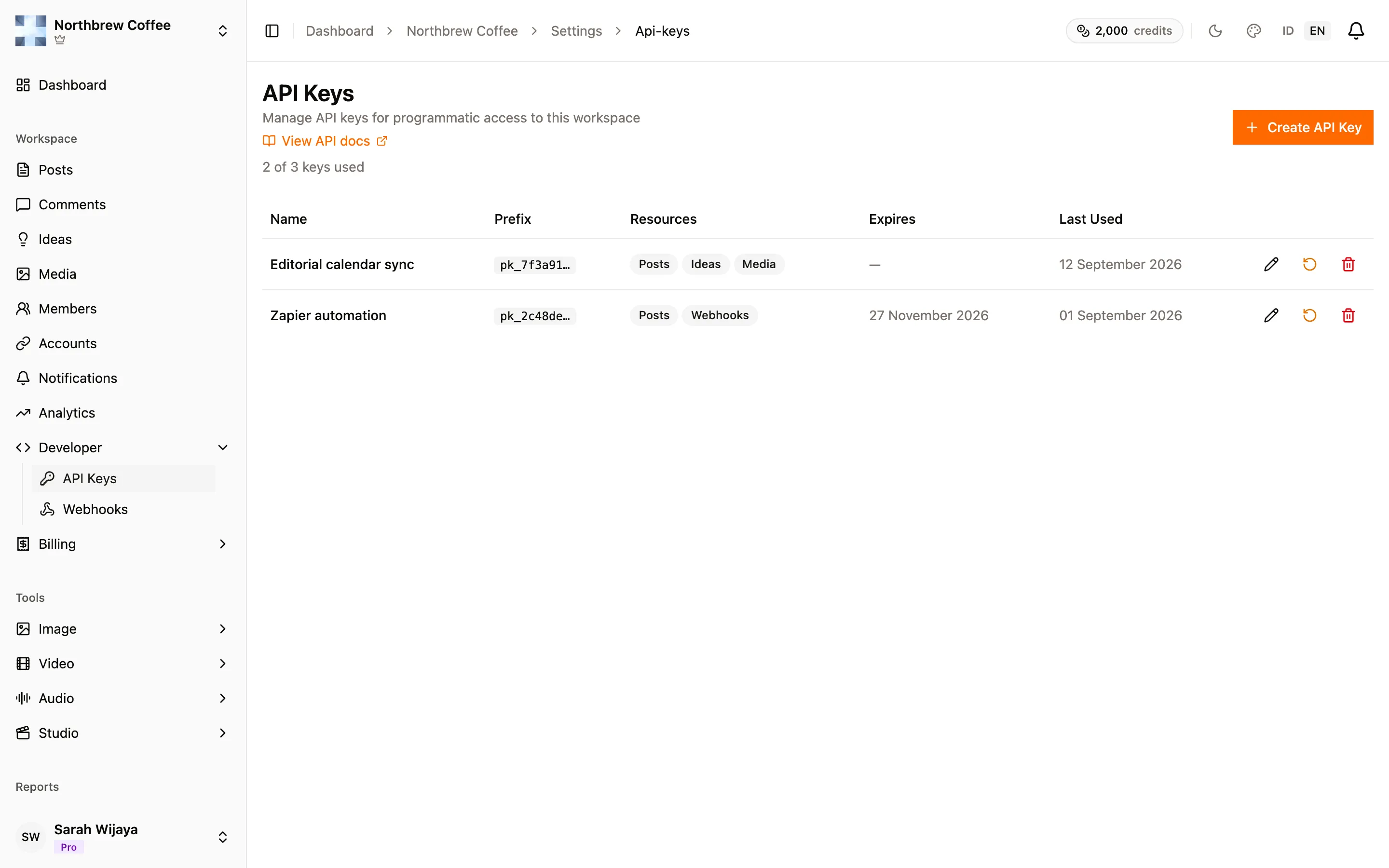
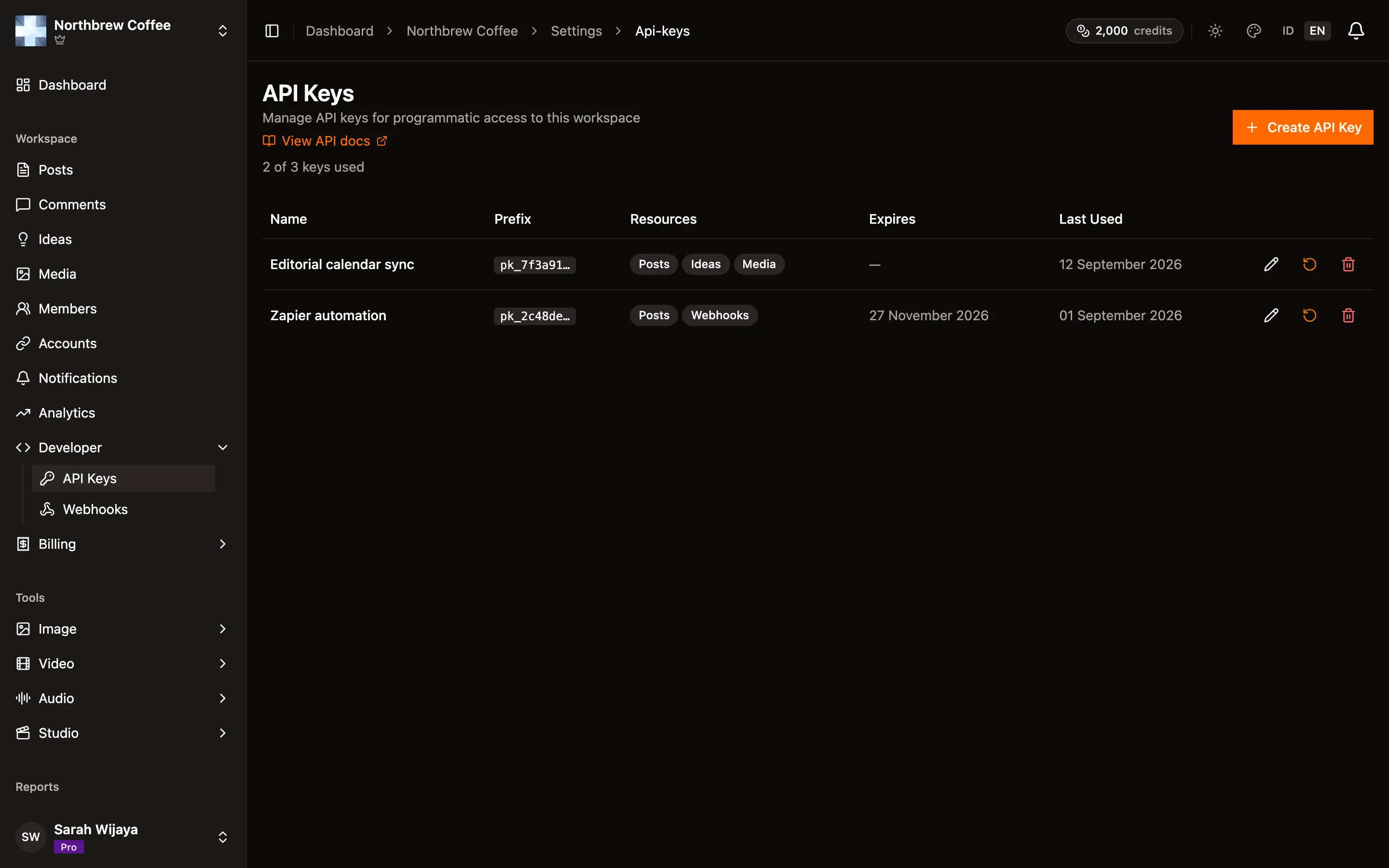
Find them under Developer then API Keys in the sidebar.
Create one
Section titled “Create one”-
Press Create API Key.
-
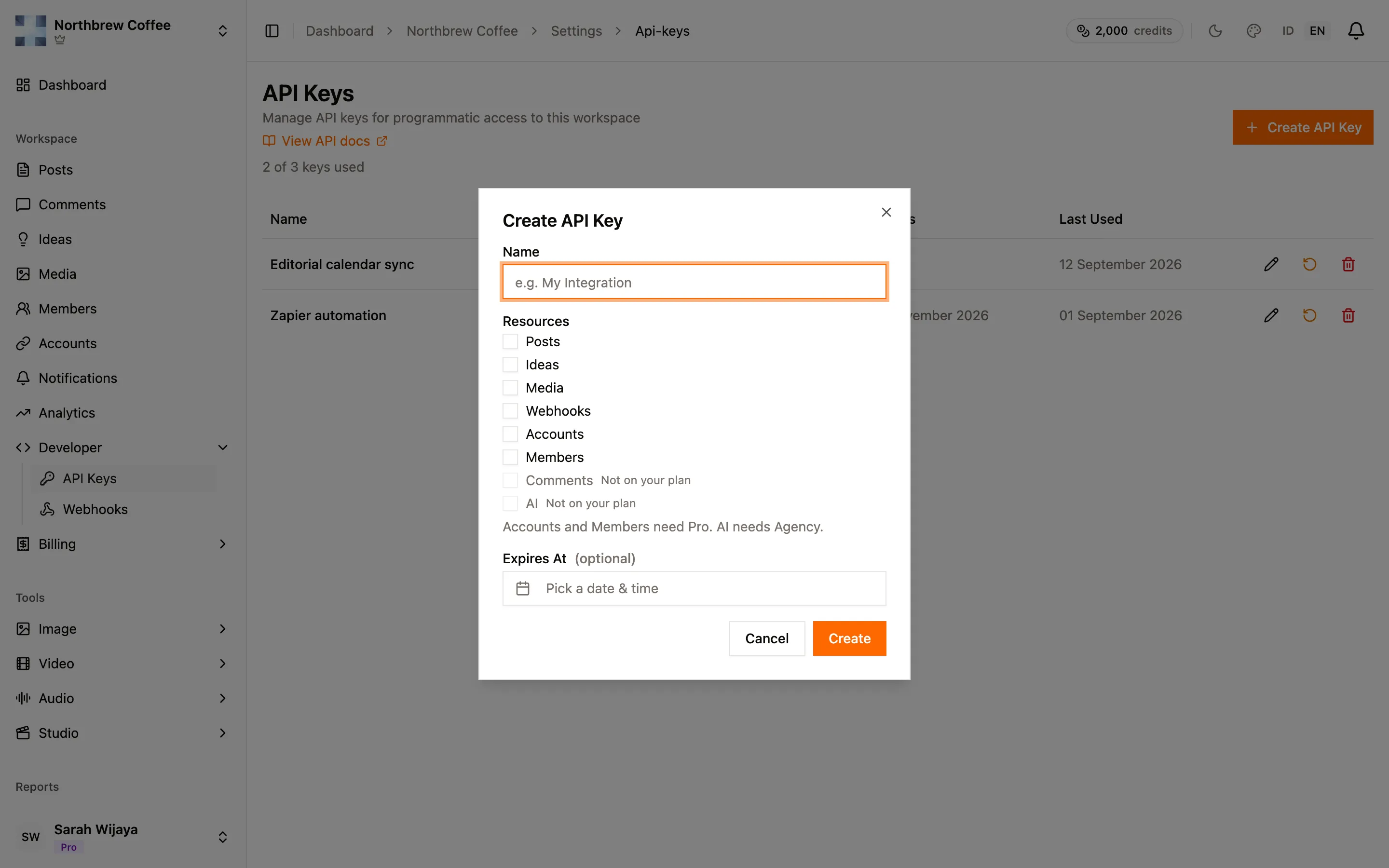
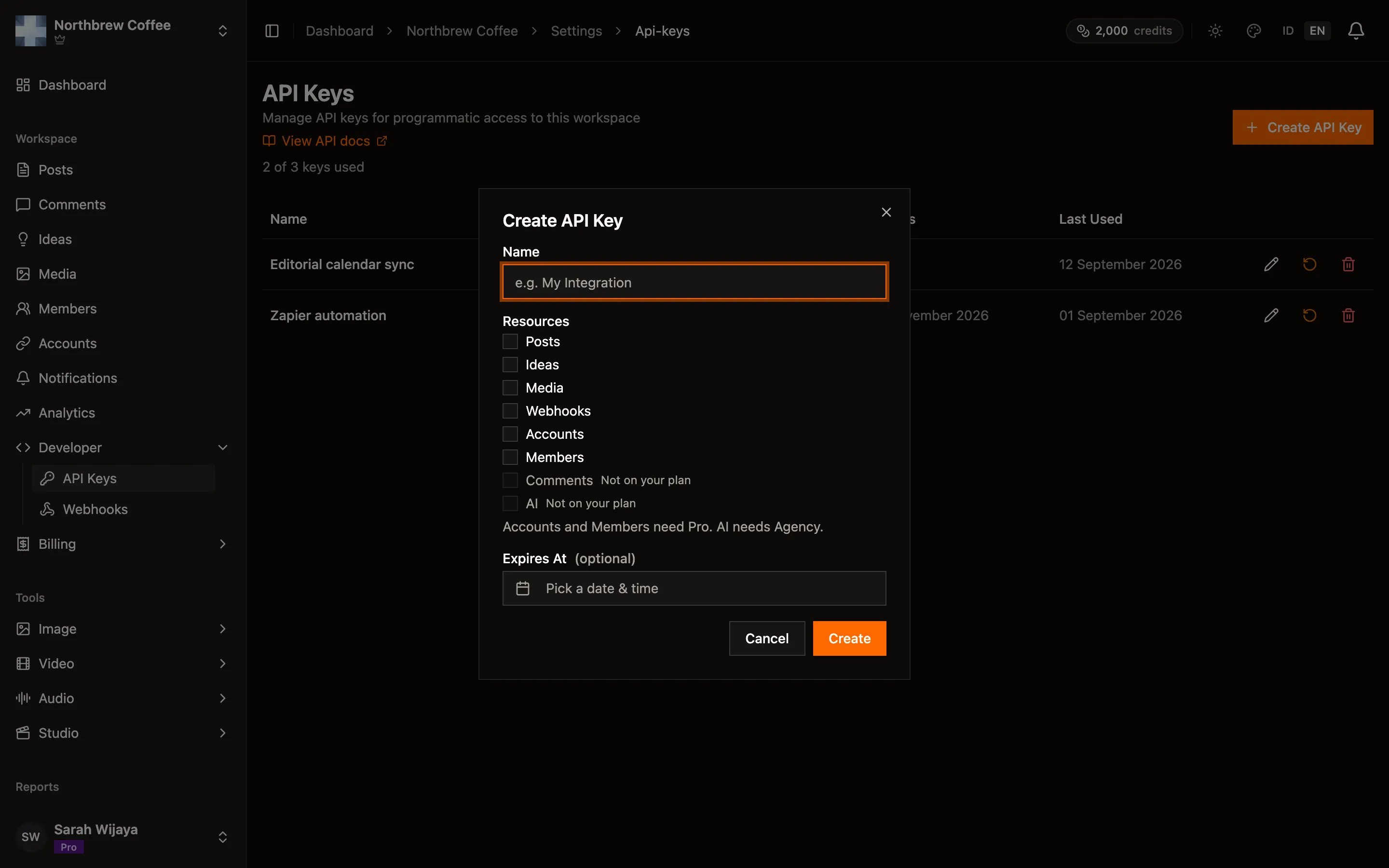
Give it a name you’ll recognise later. It’s the only way to tell keys apart once they’re created, so “Zapier automation” beats “key 2”.
-
Tick the resources it needs. Anything your plan can’t grant is greyed out with Not on your plan.
-
Optionally set an expiry date. Leave it empty and the key works until you revoke it. Setting one is worth it for anything short-lived, like a migration script.
-
Press Create. The key appears once.
After that, the list only shows the first few characters as a prefix, like pk_7f3a91…, which
is enough to work out which key a log line belongs to.
Scopes
Section titled “Scopes”A key only reaches what you ticked. Give each integration the least it needs — a key that only publishes posts can’t also delete your media.
| Scope | What it covers |
|---|---|
| Posts | Read, create, update, delete, publish and retry posts |
| Ideas | Read and manage content ideas, including generating them |
| Media | List, download, upload and delete assets |
| AI | Run the AI generation tools |
| Accounts | List the connected social accounts. Read-only, you can’t connect one over the API |
| Members | Nothing yet, see below |
| Webhooks | Nothing yet, see below |
| Comments | Nothing yet, see below |
Which scopes you can grant depends on your plan:
| Plan | Keys | Scopes available |
|---|---|---|
| Free | none | — |
| Creator | 1 | Posts, Ideas, Media, Webhooks |
| Pro | 3 | the above, plus Accounts and Members |
| Agency | 5 | everything, including Comments and AI |
The page shows where you stand, like “2 of 3 keys used”. At the limit, Create API Key is disabled until you revoke one.
Using the key
Section titled “Using the key”Send it in an X-API-Key header. The API lives at https://api.publiz.xyz/v1.
curl https://api.publiz.xyz/v1/me \ -H "X-API-Key: pk_your_key_here"/me is the useful first call: it tells you which workspace the key belongs to and which scopes it
holds, without needing any scope itself.
Creating a post looks like this:
curl -X POST https://api.publiz.xyz/v1/posts \ -H "X-API-Key: pk_your_key_here" \ -H "Content-Type: application/json" \ -d '{"content": "Fresh batch just landed.", "platforms": ["bluesky"]}'The full endpoint list, with the scope each one needs, is in the API reference. There are also official TypeScript, Go and Dart SDKs if you’d rather not write the HTTP by hand.
One thing a key can’t do is manage API keys. Creating, resetting and revoking them all need a signed-in user, so a key can never mint another key.
Rate limits
Section titled “Rate limits”Limits are per key, per minute, and they differ by the kind of call:
| Kind of request | Per minute |
|---|---|
| Reads, including polling a job | 600 |
| Writes to posts and ideas | 60 |
| Uploads | 30 |
| AI generation | 10 |
Generation is the tight one because every job spends credits and hits a provider. If you’re batching, put a small delay between jobs rather than firing them all at once.
Rotating and revoking
Section titled “Rotating and revoking”Each row has three actions:
- Edit (pencil) changes which scopes a key holds, without changing the key itself. Nothing needs redeploying.
- Reset (arrow) issues a new key for the same row, keeping the name and scopes. The old key stops working immediately, and the new one is shown once, same as at creation. This is what to use if a key leaks.
- Revoke (bin) deletes the key for good. It can’t be undone.
Last Used on each row tells you whether a key is still in service, which is the easiest way to find one safe to revoke.
When it doesn’t work
Section titled “When it doesn’t work”missing X-API-Key header — the header wasn’t sent. Check spelling and that your client isn’t
dropping custom headers on a redirect.
unauthorized: invalid api key — the key is wrong, or it was reset or revoked. Compare the
prefix in the error with the prefixes on this page.
unauthorized: api key expired — it had an expiry date and that date has passed. Reset the key
or create a new one.
A 403 mentioning the resource — the key is valid but doesn’t hold that scope. Edit it and tick
the resource, assuming your plan allows it.
“the … scope is not enabled on your plan” — different problem, and the wording is deliberate. The key does hold that scope, but your plan no longer covers it. This is what you see after a downgrade: the key keeps its scopes on the page, marked Kept from a previous plan, and they stop working until you upgrade again.
A 404 on something you expected to exist — check the
API reference. Members, webhooks and comments have scopes but no
endpoints yet, so there’s nothing at those paths to call.
Everything returns 401 on a free plan. Free plans get no API keys, so there’s no key to create in the first place.